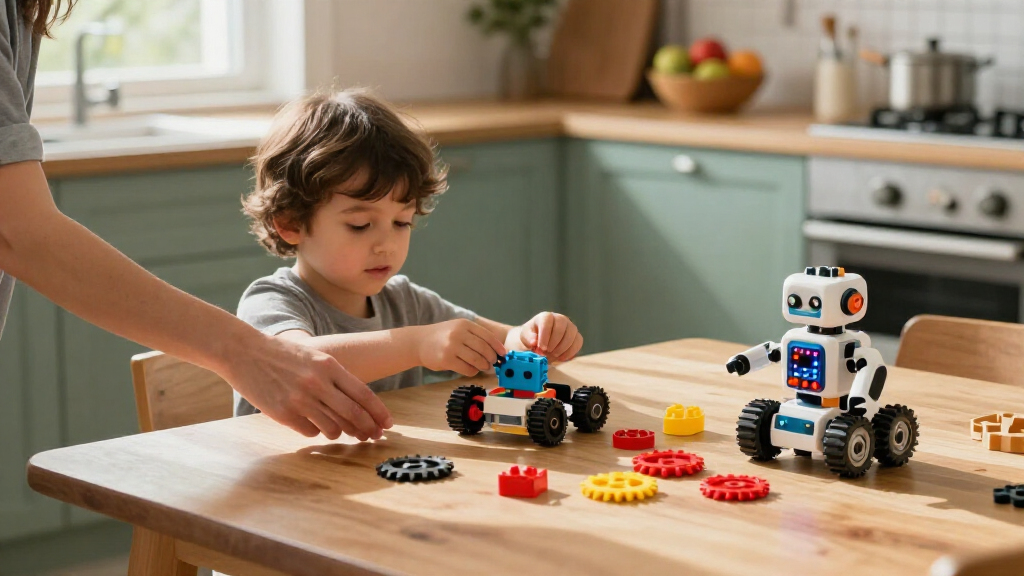
For most families, the Makeblock mBot STEM Coding Robot Kit is my best overall pick because it centers on programmable robot behavior rather than only assembling models. The Educational Insights Design & Drill Robot Workshop is a simpler starting point for younger builders, while the ELEGOO UNO R3 Smart Robot Car Kit V4 with Camera suits older kids ready for more involved electronics and coding. The main tradeoff is between easy, guided construction and kits that offer more room to experiment but demand more patience and adult support. Model count can be appealing, yet a larger number of builds does not always mean deeper programming lessons. Read on for how all 13 options compare and which one fits your child’s interests and experience.

Prime made for students and young adults
- Fast, free delivery for dorm and study essentials
- Prime Video and Amazon Music included
- Member-only deals
Key Takeaways
- Programming depth separates the leaders: mBot and ELEGOO focus more directly on coding robot behavior, while Design & Drill is better understood as a construction-first introduction.
- Model counts are not interchangeable: the Butterfly EduFields 40-in-1 and Klever Kits 36-in-1 emphasize many possible builds, but buyers should check whether the instructions support the child’s preferred level of independent experimentation.
- Age and adult help matter as much as kit size: a more involved electronics kit can offer a longer learning path, but may frustrate a beginner without patient guidance.
- Different power sources teach different ideas: Sillbird’s 12-in-1 solar kit introduces solar-powered motion, while programmable car and arm kits center on control and mechanical behavior.
- Best fit depends on the intended activity: choose a coding robot for programming practice, a multi-model construction kit for rebuilding, or ACEBOTT’s robot arm and tank car format for varied mechanical projects.
| EggTailz Smart Robot Car Kit for Kids Ages 8+ |  | Best for Guided Robot-Car Building | Brand: EggTailz | Model: 265-A | Recommended age: 8 years and up | VIEW LATEST PRICE | See Our Full Breakdown |
| Educational Insights Design & Drill Robot Workshop |  | Best First Robot-Building Set | Brand: Educational Insights | Model number: 4177 | Recommended age: 3–6 years | VIEW LATEST PRICE | See Our Full Breakdown |
| Butterfly EduFields 10-in-1 STEM Robotics Kit for Kids |  | Best for Multi-Project Electronics Exploration | Brand: Butterfly EduFields | Model number: 506 | Project count: 10 | VIEW LATEST PRICE | See Our Full Breakdown |
| Tsomtto 6-in-1 Robotics STEM Kit for Kids |  | Best for Varied Creative Builds | Brand: Tsomtto | Set: 6-in-1 Robotics STEM Set | Number of projects: 6 | VIEW LATEST PRICE | See Our Full Breakdown |
| ELEGOO UNO R3 Smart Robot Car Kit V4 with Camera |  | Best for Advanced Coding and Camera Features | Brand: ELEGOO | Model: US-EL-KIT-012 | Recommended age: 12 years and up | VIEW LATEST PRICE | See Our Full Breakdown |
| Butterfly EduFields 40-in-1 STEM Robotics Kit for Kids |  | Best for Project Variety | Age range: 8–17 years | Projects: 40+ | Components: 100+ | VIEW LATEST PRICE | See Our Full Breakdown |
| Makeblock mBot STEM Coding Robot Kit for Kids Ages 8+ | 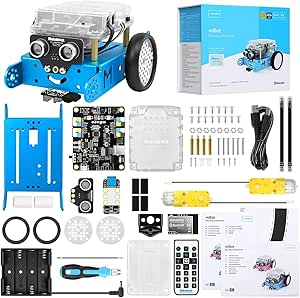 | Best for Learning to Code | Recommended age: 8 years and up | Model: 90053 | Programming platforms: Scratch, Arduino, mBlock | VIEW LATEST PRICE | See Our Full Breakdown |
| BeAndge 6-in-1 STEM Robotics Kit for Kids Ages 8–12 |  | Best for Guided First Projects | Recommended age: 8–14 years | Projects: 6 | Educational objectives: Coding, motor skills, problem solving, STEM | VIEW LATEST PRICE | See Our Full Breakdown |
| Sillbird 5-in-1 Programmable Robot Building Kit with App and Remote Control |  | Best for Rebuild-and-Play Variety | Age range: 8 years and up | Pieces: 488 | Build options: Robot, car, tank, dinosaur, or custom model | VIEW LATEST PRICE | See Our Full Breakdown |
| Sillbird 12-in-1 Solar Robot Building Kit, 190 Pieces |  | Best Solar-Powered Pick | Recommended age: 10 years and up | Buildable models: 12 | Pieces: 190 | VIEW LATEST PRICE | See Our Full Breakdown |
| Klever Kits 36-in-1 Motorized Robotics Kit for Ages 8–13 |  | Best for Build Variety | Brand: Klever Kits | Model count: 36 | Motorized models: 14 | VIEW LATEST PRICE | See Our Full Breakdown |
| ACEBOTT 4-in-1 Programmable Robot Arm and Tank Car Kit |  | Best for Older Coding Learners | Brand: ACEBOTT | Model: QD043 | Age range: 12 years and up | VIEW LATEST PRICE | See Our Full Breakdown |
| Sillbird 5-in-1 Programmable Robot Building Kit with Remote and App Control, 488 Pieces |  | Best for Mixed Build-and-Control Play | Brand: Sillbird | Model: B883 | Piece count: 488 | VIEW LATEST PRICE | See Our Full Breakdown |
| educational robot kits for kid | Recommended age | Brand |
|---|---|---|
| EggTailz Smart Robot Car Kit f | 8 years and up | EggTailz |
| Educational Insights Design & | 3–6 years | Educational Insights |
| Butterfly EduFields 10-in-1 ST | 8–17 years | Butterfly EduFields |
| Tsomtto 6-in-1 Robotics STEM K | 8–12 years | Tsomtto |
| ELEGOO UNO R3 Smart Robot Car | 12 years and up | ELEGOO |
| Butterfly EduFields 40-in-1 ST | — | — |
| Makeblock mBot STEM Coding Rob | 8 years and up | — |
| BeAndge 6-in-1 STEM Robotics K | 8–14 years | — |
| Sillbird 5-in-1 Programmable R | — | — |
| Sillbird 12-in-1 Solar Robot B | 10 years and up | — |
| Klever Kits 36-in-1 Motorized | 8–13 years | Klever Kits |
| ACEBOTT 4-in-1 Programmable Ro | — | ACEBOTT |
| Sillbird 5-in-1 Programmable R | 8–16 years | Sillbird |
More Details on Our Top Picks
EggTailz Smart Robot Car Kit for Kids Ages 8+
The EggTailz pairs a build-it-yourself 2WD car with features kids can explore after assembly: ultrasonic obstacle detection, self-balancing, lights, and both autonomous and remote-control modes. That makes it a stronger fit for children curious about how a mobile robot responds to its surroundings than the Educational Insights Design & Drill Robot Workshop, which focuses on construction play rather than a working, sensor-equipped vehicle. Illustrated and video instructions can help, but younger or first-time builders may still need adult support. Its stated 1–4 hours of play varies, and the remote needs two AA batteries, so it is less ready-to-go than a simple toy. Choose it for a hands-on car build with several modes to try, not for a coding-focused introduction.
Pros:- Combines hands-on car assembly with autonomous and remote-control play.
- Ultrasonic obstacle detection gives children a visible example of a robot reacting to its surroundings.
- Self-balancing and multiple lights add functions beyond basic forward-and-back driving.
- Illustrated and video instructions offer more than one assembly guide.
Cons:- Assembly may be challenging for younger or inexperienced builders without adult help.
- The remote requires two AA batteries, adding a separate battery need.
- The stated 1–4-hour play time is a wide range rather than a predictable session length.
Best for: Ages 8 and up who want to assemble a working robot car and experiment with obstacle sensing and remote driving, with an adult available to help.
Not ideal for: Young beginners seeking an easy, tool-based first build, or families specifically looking for programming lessons rather than car assembly and driving modes.
- Brand:EggTailz
- Model:265-A
- Recommended age:8 years and up
- Drive:2WD
- Obstacle detection:Ultrasonic radar
- Control modes:Auto-Go and remote control
- Battery and charging:Rechargeable; 2-hour charge
- Play time:1–4 hours
- Remote batteries:2 AA batteries, included
Our verdict“Choose EggTailz for an age-8-plus builder who wants a sensor-equipped robot car, but skip it if coding instruction is the main goal.”
Educational Insights Design & Drill Robot Workshop
For preschoolers, this set makes robot building a hands-on construction activity rather than a lesson in electronics or programming. Children use a toy drill, screwdriver, and bolts to join interchangeable pieces, then rearrange them into new designs. That open-ended rebuilding suits younger children better than the EggTailz Smart Robot Car Kit, which is aimed at ages 8 and up and asks builders to assemble a functioning vehicle. The tradeoff is that the Design & Drill robots are creations to build and customize, not sensor-driven machines that move on their own. Its 32 bolts and mix of pieces support repeated play, though the drill needs two AA batteries that are not included. Pick it for early fine-motor practice, not for families seeking robotics electronics.
Pros:- Toy drill, screwdriver, and bolts make construction active and approachable for young children.
- Interchangeable pieces allow children to create and rebuild different robot designs.
- Supports fine motor practice alongside early problem-solving and engineering concepts.
- The age range makes it a more accessible starting point than the older-child robot-car kits in this roundup.
Cons:- The robots are assembled creations, not electronic or programmable machines.
- The toy drill requires two AA batteries, which are not included.
Best for: Families with children ages 3–6 who are ready to practice tool handling, fastening, and creative construction with adult supervision as needed.
Not ideal for: Older children who want a motorized robot, sensors, or programming; this set centers on assembling and redesigning pieces.
- Brand:Educational Insights
- Model number:4177
- Recommended age:3–6 years
- Included tools:Toy drill, Phillips bit, screwdriver, and gear socket bit
- Fasteners:32 bolts
- Robot pieces:26 interchangeable pieces and 7 gears
- Other included component:Sticker sheet
- Battery requirement:2 AA batteries, not included
Our verdict“Pick this as a first construction set for ages 3–6, but choose a motorized kit if the child wants robots that drive or respond to sensors.”
Butterfly EduFields 10-in-1 STEM Robotics Kit for Kids
The Butterfly EduFields 10-in-1 is the lineup’s component-led learning kit: more than 100 parts and ten project builds give children room to try several electronics and robotics ideas, including line following and obstacle avoidance. That breadth sets it apart from the EggTailz Smart Robot Car Kit, which centers on one assembled car with multiple driving modes, and from Tsomtto’s six-project set, which emphasizes varied build concepts. Here, the appeal is working through an illustrated manual and learning how components fit into projects; the tradeoff is that this is not a ready-made robot experience. Assembly is required, and some components may need to be supplied separately, so families should check the project requirements before starting. The listed age range spans 8–17, but younger builders may benefit from adult help.
Pros:- More than 100 components support a range of hands-on project builds.
- Ten projects offer more variety than a single-car kit.
- Illustrated instructions provide a visual guide through assembly.
- Line following and obstacle avoidance introduce recognizable robot behaviors.
Cons:- Project assembly takes time and may require adult guidance for younger builders.
- Some required components may need to be supplied separately.
- The broad age recommendation may make the projects feel uneven in difficulty for a specific child.
Best for: Ages 8–12 who enjoy step-by-step projects and want to explore several electronics and robot functions rather than focus on one vehicle.
Not ideal for: Families seeking a complete, ready-to-run robot or a kit with every required component confirmed in the box.
- Brand:Butterfly EduFields
- Model number:506
- Project count:10
- Components:100+
- Recommended age:8–17 years
- Included components:Wires, switches, connectors, LED lights, and instruction manual
- Robot functions:Line following and obstacle avoidance
Our verdict“Choose this for a patient young builder who wants multiple electronics projects, but check component needs before buying if you want a fully self-contained kit.”
Tsomtto 6-in-1 Robotics STEM Kit for Kids
Tsomtto stands out for six distinctly different build ideas, including a reptile robot, balance car, bubble machine, fiber lamp, and sliding plane. That range gives children a change of direction from project to project, unlike the EggTailz Smart Robot Car Kit, which concentrates its learning around one robot car. It also contrasts with the Butterfly EduFields 10-in-1, which offers more projects and a larger component count but leans into electronics functions such as line following. Tsomtto’s appeal is approachable, hands-on making with a screwdriver and step-by-step instructions; its drawback is that the project list is not the same as a programming curriculum. Children still need to assemble the builds, and the stated 8–12 age range makes it a less suitable choice for preschoolers or older teens.
Pros:- Six project types offer variety beyond a single robot vehicle.
- Includes a screwdriver and step-by-step instructions for guided building.
- Projects encourage construction, creativity, coordination, and problem-solving.
- A varied project mix can suit children who lose interest in repeating one kind of build.
Cons:- Every project requires assembly, so it is not an immediate-play option.
- The specified 8–12 age range may not suit younger beginners or older learners.
- The supplied description does not identify programming or electronics instruction.
Best for: Children ages 8–12 who like switching between different construction projects and benefit from guided instructions.
Not ideal for: Buyers looking for coding lessons, advanced electronics, or a robot car with a broad set of sensor-controlled behaviors.
- Brand:Tsomtto
- Set:6-in-1 Robotics STEM Set
- Number of projects:6
- Recommended age:8–12 years
- Example projects:Reptile robot, balance car, bubble machine, fiber lamp, and sliding plane
- Included components:Robot-building kit and screwdriver
- Skills:Concentration, construction, creativity, hand-eye coordination, logical thinking, motor skills, and problem-solving
Our verdict“Choose Tsomtto for an 8–12-year-old who wants several kinds of guided builds, not for a child whose main goal is learning to code robots.”
ELEGOO UNO R3 Smart Robot Car Kit V4 with Camera
The ELEGOO is the most technically ambitious option here: an Arduino-compatible UNO R3, camera, sensors, and example programs invite older beginners to build and program a robot car. Its camera and Wi-Fi module add FPV video, while line tracking, obstacle avoidance, and auto follow give learners several behaviors to explore. That is a different level of commitment from the EggTailz car, which offers autonomous and remote-control modes without the same stated programming focus. Compared with the Butterfly EduFields 10-in-1, ELEGOO offers a more focused vehicle platform rather than a collection of project builds. The tradeoff is a steeper setup: assembly and programming are required, and first-time builders may need adult guidance. At 12 and up, it is better suited to teens than younger children seeking quick construction play.
Pros:- UNO R3 controller and example programs provide a path into programming a physical robot.
- Camera and Wi-Fi module support FPV video, giving the build a distinct feature beyond basic remote driving.
- Line tracking, obstacle avoidance, and auto follow offer multiple behaviors to program and explore.
- App and IR remote control provide different ways to operate the assembled car.
Cons:- Assembly and programming create a steeper learning curve than simpler construction kits.
- First-time builders may need adult guidance.
- Its single-car focus offers less project variety than multi-build kits such as Butterfly EduFields 10-in-1.
Best for: Builders ages 12 and up who want to learn Arduino-compatible programming through a camera-equipped robot car and can get adult help when needed.
Not ideal for: Children under 12, buyers seeking a simple build without programming, or families who want several separate robot projects in one kit.
- Brand:ELEGOO
- Model:US-EL-KIT-012
- Recommended age:12 years and up
- Controller:UNO R3
- Camera and Wi-Fi module:ESP32-WROVER-based
- Battery:2000 mAh rechargeable lithium-ion
- Control:App and IR remote
- Features:FPV video, line tracking, obstacle avoidance, and auto follow
- Dimensions and weight:7 x 8 x 6 inches; 1.23 kg
Our verdict“Pick ELEGOO for a teen ready to assemble and program a feature-rich robot car, but choose a simpler kit for younger children or tool-free play.”
Butterfly EduFields 40-in-1 STEM Robotics Kit for Kids
More than 40 project possibilities make this kit a strong choice for children who want to try different kinds of electronics, from a line-following car to a drawing robot or home-automation builds. Its 100+ reusable components and sensors give kids room to revisit ideas, while plug-and-play assembly avoids soldering and tools. Compared with the Butterfly EduFields 10-in-1, this kit offers a much broader project menu; compared with the Makeblock mBot, it emphasizes assembling many circuit-based projects rather than learning Scratch or Arduino programming. That distinction matters: the included instructions and concept manuals support guided exploration, but the no-coding approach may feel limiting to children ready to program their own robot behavior. Families also need to supply AA batteries, and the holder is not compatible with Duracell batteries.
Pros:- Offers 40+ robotics and home-automation project options
- Includes 100+ components with reusable sensors and motors
- Plug-and-play assembly avoids soldering and tools
- Instructions and concept manuals support guided learning
Cons:- Does not introduce coding, unlike the Makeblock mBot
- Requires separately supplied AA batteries
- Included battery holder is incompatible with Duracell batteries
Best for: Families with children who want to explore many sensor-based robotics and home-automation projects without soldering or coding.
Not ideal for: Kids seeking a programmable robot with Scratch or Arduino, or households that rely on Duracell AA batteries.
- Age range:8–17 years
- Projects:40+
- Components:100+
- Sensors:IR, flame, touch, LDR, and others
- Assembly:Plug and play; no soldering or tools required
- Batteries:AA batteries required; Duracell not compatible with included holder
- Material:Wood
- Dimensions:8 x 5 x 1 inches
- Weight:0.8 kg
Our verdict“Choose this kit for broad, hands-on circuit exploration; pick the Makeblock mBot instead if coding is the main learning goal.”
Makeblock mBot STEM Coding Robot Kit for Kids Ages 8+
The Makeblock mBot is the clearest pick here for families who want a child to move from building into programming. Kids can start with remote control, line following, and obstacle avoidance, then explore Scratch, mBlock, and Arduino with the included tutorials and app support. Its roughly 15-minute assembly is less involved than building the Sillbird 488-piece programmable kit, making it easier to get to the coding stage sooner. The tradeoff is a narrower project focus: unlike the Butterfly EduFields 40-in-1, it is centered on one robot rather than a wide collection of circuit projects. The stated compatibility with more than 100 electronic modules and 500 Makeblock parts may support later expansion, but those are not all part of the basic kit. Batteries for both the robot and remote are sold separately.
Pros:- Supports Scratch, mBlock, and Arduino programming
- Combines remote control, line following, and obstacle avoidance
- Tutorials and app support provide a learning path
- About 15 minutes of assembly before programming begins
Cons:- Robot requires four AA batteries, not included
- Remote controller requires a separate CR2025 battery, not included
- Offers a more focused robot experience than multi-project kits such as the Butterfly EduFields 40-in-1
Best for: Families with children aged 8 and up who want a guided first robot for exploring Scratch or Arduino after a short build.
Not ideal for: Buyers seeking numerous separate builds in one kit or a setup that works without sourcing multiple batteries.
- Recommended age:8 years and up
- Model:90053
- Programming platforms:Scratch, Arduino, mBlock
- Robot functions:Remote control, line following, obstacle avoidance
- Assembly time:About 15 minutes
- Robot batteries:4 AA batteries, not included
- Remote battery:CR2025, not included
- Compatibility:100+ electronic modules and 500+ Makeblock parts
Our verdict“Choose the mBot if coding is the priority and a quick-to-assemble robot is preferable to a kit with many different builds.”
BeAndge 6-in-1 STEM Robotics Kit for Kids Ages 8–12
With six varied builds—including a reptile robot, balance car, bubble machine, and buzzer wire game—this kit offers an approachable way to connect simple circuits with hands-on projects. The included mini screwdriver and step-by-step manuals make it more self-contained for assembly than the Butterfly EduFields 40-in-1, which asks children to work through a much larger project range. But BeAndge is the smaller, more bounded option: it does not offer the mBot’s Scratch and Arduino programming path, and its six builds provide less room for extended project exploration. Some activities may need adult guidance, so the recommended age range should not be read as a promise of fully independent building. AA batteries and bubble solution are also separate purchases, a practical snag if a child wants to start immediately.
Pros:- Six projects span robotics and other hands-on science activities
- Step-by-step instructions help children follow each build
- Mini screwdriver is included
- Projects practice circuits, problem solving, and motor skills
Cons:- AA batteries and bubble solution are not included
- Some projects may require adult guidance
- Offers fewer builds and no stated programming platform compared with the Butterfly EduFields 40-in-1 and Makeblock mBot
Best for: Parents looking for a manageable set of varied, step-by-step circuit activities for children who are beginning hands-on STEM projects.
Not ideal for: Children ready for coding lessons, a large expandable project library, or fully independent assembly on every build.
- Recommended age:8–14 years
- Projects:6
- Educational objectives:Coding, motor skills, problem solving, STEM
- Included tools:Mini screwdriver
- Required items not included:AA batteries and bubble solution
- Model number:BA1001
- Warranty:Lifetime warranty against manufacturer defects
Our verdict“Pick BeAndge for a guided sampler of six hands-on projects, but choose a coding-focused kit if programming is the goal.”
Sillbird 5-in-1 Programmable Robot Building Kit with App and Remote Control
This 488-piece kit turns one parts collection into five forms: a robot, car, tank, dinosaur, or custom model. That gives kids a reason to take a build apart and start again, while Bluetooth app and remote control offer two ways to operate the finished creation. The rechargeable battery also avoids the separate AA and remote batteries required by the Makeblock mBot. Compared with the mBot, Sillbird puts more emphasis on rebuilding into different shapes than on Scratch or Arduino instruction; the product details do not specify programming platforms. The tradeoff is the build itself: 488 pieces can mean a longer, more involved assembly process than the mBot’s roughly 15-minute setup. Play time is up to 40 minutes per charge, so longer sessions require charging breaks.
Pros:- Five build options plus the freedom to make a custom model
- Bluetooth app and remote control offer two operating methods
- Rechargeable battery avoids separate disposable batteries for operation
- Colorful step-by-step assembly instructions are included
Cons:- Assembly involves 488 pieces and may take substantial time
- Play time is limited to up to 40 minutes per charge
- No programming platform is specified, unlike the Makeblock mBot
Best for: Children aged 8 and up who enjoy assembling, rebuilding, and remotely controlling several different robot-style models.
Not ideal for: Buyers who want a short setup, long uninterrupted play sessions, or a clearly specified Scratch or Arduino curriculum.
- Age range:8 years and up
- Pieces:488
- Build options:Robot, car, tank, dinosaur, or custom model
- Control methods:Bluetooth app and remote control
- Battery:Rechargeable
- Play time:Up to 40 minutes
- Color:Blue
- Model:US-B897R1
Our verdict“Choose Sillbird for repeatable model-building and remote play; choose the mBot if structured coding lessons matter more.”
Sillbird 12-in-1 Solar Robot Building Kit, 190 Pieces
Solar power is the defining lesson here: children can build 12 different models and see how sunlight, or a strong artificial light source, powers their creations. With 190 pieces and designs at different difficulty levels, it offers more model variety than the BeAndge 6-in-1 while keeping the focus on construction and energy rather than programming. That makes it a useful choice for introducing renewable-energy concepts through a working build, but it also adds a real limitation: operation depends on having sufficiently strong light. Unlike the rechargeable Sillbird 5-in-1, it does not provide the same battery-powered play option when lighting conditions are poor. Assembly across 190 parts takes time, and the supplied step-by-step instructions help, but this is better suited to patient builders than children seeking immediate remote-controlled action.
Pros:- Builds 12 robot, car, and other models
- Runs on sunlight or a strong artificial light source
- Includes step-by-step assembly instructions
- Builds range from beginner to more challenging
Cons:- Needs sufficiently strong light to operate
- 190 parts require assembly before play
- Does not offer the app or remote controls included with the Sillbird 5-in-1
Best for: Children aged 10 and up who enjoy building several models and learning how light can power a small robot.
Not ideal for: Families without reliable sunlight or strong artificial light, or children who want app or remote control and a quick start.
- Recommended age:10 years and up
- Buildable models:12
- Pieces:190
- Power source:Solar panel or strong artificial light
- Material:ABS
- Dimensions:10.24 x 7.87 x 2.56 inches
- Model number:US-SB-SolarRobot
Our verdict“Choose this kit for light-powered building and renewable-energy exploration, provided the child has a suitable light source.”
Klever Kits 36-in-1 Motorized Robotics Kit for Ages 8–13
Thirty-six build options give this kit a wider model menu than the Sillbird 5-in-1 Programmable Robot Building Kit, making it a strong pick for kids who want to rebuild rather than move quickly to a new set. Fourteen designs use motors, so children can explore how motion and simple mechanisms change a model’s behavior. A sorting tray helps keep the 334 plastic parts manageable, while the printed guide and video tutorials offer two ways to follow the builds. The tradeoff is that variety comes with repeated assembly and part sorting; this is not a ready-to-run coding robot. Its listed age range of 8–13 also makes it a better fit for school-age builders than younger children, and the product details do not specify app-based programming.
Pros:- Offers 36 model builds, including 14 motorized designs
- Combines hands-on science, engineering, and mechanics activities
- Sorting tray supports part organization and storage
- Includes both a full-color instruction booklet and video tutorials
Cons:- Building and sorting 334 parts can take patience
- The listed age range may exclude younger builders
- Product details do not list app control or programmable coding
Best for: Ages 8–13 who enjoy rebuilding mechanical models and benefit from a choice of printed or video instructions.
Not ideal for: Younger children or families seeking app-based coding, remote control, or a robot that works without repeated assembly.
- Brand:Klever Kits
- Model count:36
- Motorized models:14
- Piece count:334
- Recommended age:8–13 years
- Material:Plastic, ABS
- Included:Sorting tray, instruction booklet, video tutorials
Our verdict“Choose this kit for a school-age builder who values many mechanical rebuilds over app-based programming or remote-controlled play.”
ACEBOTT 4-in-1 Programmable Robot Arm and Tank Car Kit
The ESP32 controller, Arduino and Scratch compatibility, and 5DOF programmable arm make this the most coding-focused choice in this group. Its four configurations—car, tank, arm car, and arm tank—let older learners change both the robot’s form and how they control it. Compared with the Klever Kits 36-in-1 Motorized Robotics Kit, ACEBOTT offers deeper programming potential but far fewer model formats and a steeper learning curve. Sixteen guided tutorials provide a route into assembly and coding, though the tutorials and code must be downloaded from the manufacturer’s website. App and IR remote control offer easier ways to operate the builds, but this kit is aimed at ages 12 and up; beginners who want straightforward, mostly screen-free construction may find it demanding.
Pros:- Four configurations let learners explore different robot layouts
- ESP32 controller supports Arduino and Scratch projects
- 5DOF arm adds programmable movement beyond driving
- Offers app and IR remote control plus 16 guided tutorials
Cons:- Building and coding may be challenging for beginners
- Tutorials and code require a download from the manufacturer’s website
- Its age recommendation makes it less suitable for younger children
Best for: Learners aged 12 and up who want to practice Arduino or Scratch through a configurable robot with an articulated arm.
Not ideal for: Younger children or first-time builders who want simple construction without coding, setup, or downloads.
- Brand:ACEBOTT
- Model:QD043
- Age range:12 years and up
- Controller:ESP32
- Robotic arm:5DOF programmable arm
- Compatible platforms:Arduino and Scratch
- Control methods:iOS and Android app, IR remote
- Tutorials:16 guided tutorials
Our verdict“Pick ACEBOTT for an older child ready to code and experiment with an articulated arm, rather than for a beginner seeking easy builds.”
Sillbird 5-in-1 Programmable Robot Building Kit with Remote and App Control, 488 Pieces
This kit balances construction with interactive control: children can build five styles, including a robot, dinosaur, car, and tank, then operate them through a Bluetooth app or remote. Basic programming and path control give it more coding-oriented play than the Klever Kits 36-in-1 Motorized Robotics Kit, while its 488 pieces and progressive difficulty call for more involved assembly than a simpler starter build. That combination suits kids who want to alternate between making models and directing their movement, rather than focusing chiefly on coding hardware like the ACEBOTT 4-in-1. The rechargeable battery provides up to 40 minutes of play per charge, so sessions have a defined limit, and the detailed build still asks for patience with many parts.
Pros:- Five model types support varied construction and play
- Bluetooth app and remote provide two control options
- Basic programming and path control introduce coding concepts
- Step-by-step instructions support the 488-piece assembly
Cons:- Assembly requires patience with 488 pieces
- Play time is limited to up to 40 minutes per charge
- Five models offer fewer build variations than the 36-model Klever Kits
Best for: Ages 8–16 who want to build several moving models and try app-based control or basic path programming.
Not ideal for: Children who dislike multi-piece assembly or families seeking long, uninterrupted robot play without recharging.
- Brand:Sillbird
- Model:B883
- Piece count:488
- Buildable models:Robot, dinosaur, car, tank, and more
- Control modes:Bluetooth app and remote control
- Play time:Up to 40 minutes per charge
- Recommended age:8–16 years
- Dimensions:6 x 7 x 8 inches
- Weight:1.8 pounds
Our verdict“Choose Sillbird for a child who wants both model-building variety and accessible app or remote control, and can work through a large assembly.”
How We Picked
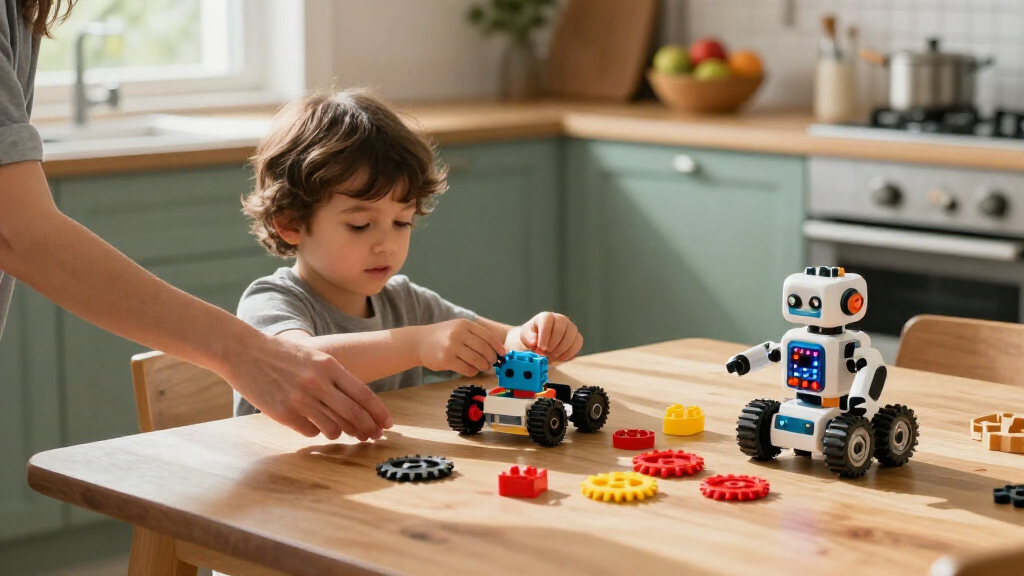
I compared these educational robot kits for kids by the kind of learning they support: hands-on assembly, programming, mechanical problem-solving, and repeated experimentation. I also weighed how clearly each kit’s format matches its stated audience, whether it offers more than a one-time build, and how much setup or adult help a family may need. A high build count alone did not earn a higher place; the learning activity and practical fit mattered more.
The ranking favors kits that connect building to meaningful robot behavior and give children a clear route from first steps to experimentation. That is why Makeblock mBot leads for its coding-centered role, while Design & Drill earns a beginner-focused place rather than being treated as a direct rival to advanced programmable kits. Options such as ELEGOO, ACEBOTT, and the larger multi-build sets serve narrower needs: more technical exploration, varied mechanisms, or many construction possibilities. I also considered tradeoffs in complexity, age fit, and whether a kit’s standout feature is likely to matter to the child using it.
Factors to Consider When Choosing Educational Robot Kits For Kids
Before choosing among robot kits, I would start with the learning experience you want to happen after the first build. The right kit depends on a child’s patience with instructions, interest in coding versus construction, and access to help when something does not work. These broader checks can prevent a common mismatch: buying the most elaborate kit when a simpler project would build confidence faster.
Match the Kit to the Child’s First Win
A child who has never built a robot may benefit more from a short, visible success than from a large parts count. Look for an early project that can be completed with the child’s current reading, sorting, and fine-motor skills. If the first activity feels too demanding, the kit may sit unused before its more advanced features come into play. On the other hand, a child who already enjoys construction toys may find a very basic model repetitive. Think about how long your child usually sticks with a multi-step project, not just the age printed on the box. A small amount of adult help can be part of the fun, but it should not be needed for every step unless you want a shared activity.
Decide Whether Coding Is a Must-Have
Robot kits vary widely in what they mean by “educational”: some teach assembly and mechanisms, while others let children program movement or responses. If your goal is an early coding lesson, check what the child actually controls and how instructions are entered before choosing. A remote control can make a robot interactive, but operating it is not the same as writing or arranging a program. Coding-focused kits may take longer to set up and can call for troubleshooting, so consider whether your child enjoys experimenting when a command fails. For a first robotics experience, construction alone can still teach useful spatial reasoning and cause and effect. Choose based on the skill you want practiced, not the broad STEM label.
Read Build Counts as Possibilities, Not Guarantees
A kit advertised with many build options can offer variety, but the number does not tell you how distinct or challenging those projects are. Check whether the instructions cover each model clearly and whether pieces are reused across builds. Rebuilding can be a strength: it encourages children to compare designs and understand how parts affect movement. It can also mean taking apart a finished model before trying another, which may disappoint a child who wants to keep a favorite creation intact. For younger builders, fewer projects with clear guidance may be more rewarding than a long menu of less-supported designs. Consider whether your child enjoys following a plan, inventing variations, or both.
Account for Setup, Space, and Adult Support
Before buying, check the practical details that shape whether a kit gets used: the workspace it needs, how small parts are managed, and whether setup involves electronics or an app. A technically ambitious project can be a good shared activity, but it may not suit a child expected to work alone. Younger children often benefit from an adult helping sort parts and interpret steps, even when the build is age-labeled for them. Consider where the robot will run or be tested; a moving car needs a clear surface, while a construction model may need a safe place to stay assembled. Keep storage in mind too, especially for kits with many pieces that are reused across projects. A realistic plan for setup and cleanup can matter more than an extra feature.
Pay More for a Longer Learning Path, Not Just More Parts
A higher-complexity kit makes sense when the child is ready to progress from building to changing how a robot behaves. That added headroom is useful only if the instructions and tools are accessible enough for the child to use. A large collection of pieces may offer broad construction play without providing deeper coding lessons, so compare the activity rather than the quantity. For a beginner, a clear and manageable first project can be better value than advanced components that go untouched. For a child already interested in robotics, paying for more technical control or varied mechanisms may keep the project engaging longer. Ask what new challenge the kit adds after the first successful build.
Frequently Asked Questions
Which kit is the best choice if my child has never built a robot?
I would start with the Educational Insights Design & Drill Robot Workshop if the priority is a straightforward, hands-on introduction to assembling a robot. It is a different kind of beginner pick from Makeblock mBot, which makes more sense when you want the first experience to include coding. Consider whether your child is more excited by making a physical model or making a robot respond to commands. A beginner who is comfortable with multi-step projects may be ready for a more involved kit, especially with an adult nearby. Choose the smallest learning step that still feels exciting to your child.
Should I choose a kit with many build options or one with coding?
Choose based on what your child will want to repeat: constructing new forms or changing robot behavior. Multi-build options, such as those in the Butterfly EduFields 40-in-1 and Klever Kits 36-in-1, put variety of models at the center. Coding-focused options such as Makeblock mBot and ELEGOO put more emphasis on control and programming. A high model count does not automatically teach more coding, and a programmable robot may offer fewer construction variations. If your child enjoys both, look for a kit that combines a satisfying build with a clear way to experiment afterward.
Is an app-controlled robot kit the same as a coding kit?
No. An app may simply act as a remote control, or it may provide tools for programming sequences and behaviors; those experiences are different. Before buying, check what the child does inside the app and whether the kit teaches commands, logic, or only manual steering. A remote can still be engaging and useful for learning how movement responds to input, but it should not be your only reason to expect a coding lesson. If programming is the main goal, favor a kit whose learning activities clearly involve creating or changing instructions. This distinction helps avoid choosing a kit that is interactive but not suited to the lesson you had in mind.
Are solar-powered robot kits a good first robotics project?
A solar-powered kit can be a good fit when the child is curious about how energy makes a machine move. The Sillbird 12-in-1 Solar Robot Building Kit makes that power source part of the project, which is a different learning angle from a programmable car or robot arm. Solar operation may depend on having suitable light, so it can be less predictable than a kit powered in another way. Think about whether your child will enjoy exploring that limitation or expect the robot to work the same way every time. It is a better choice for energy-focused construction than for a first lesson in programming behavior.
When is a more technical robot kit worth the extra adult help?
A more technical kit is a better fit when the child already likes following complex instructions, troubleshooting, or learning how controls affect movement. The ELEGOO UNO R3 kit and ACEBOTT robot arm and tank car kit offer different kinds of technical exploration, so match the project to the child’s interest in coding, electronics, or mechanisms. Adult support can be worthwhile when it helps a child understand a new concept rather than simply completing the build for them. If a child becomes discouraged by small setbacks, start with a simpler construction kit and revisit the more involved option later. The best timing is when the added challenge feels motivating, not like a barrier to getting started.
Conclusion
For a single recommendation, I would choose Makeblock mBot as the best overall for families who want building paired with coding. Best for beginners is Educational Insights Design & Drill, especially when the goal is an accessible first construction project. For a potentially broader construction experience, compare the Butterfly EduFields 10-in-1 and Tsomtto 6-in-1 as value-oriented multi-build choices, while checking which project style best matches the child. The ELEGOO UNO R3 kit is my premium-style pick for older or more experienced children ready for a more technical robotics challenge, though it is not the easiest starting point. Choose Sillbird’s solar kit for energy-focused building, or ACEBOTT when a robot arm and tank-car format sounds more appealing than a single robot style. The best kit is the one that gives your child a satisfying first build and a reason to keep experimenting afterward.
Black Friday Picks

Sony WH-1000XM6 Wireless Noise-Canceling Headphones, Black
As an affiliate, we earn on qualifying purchases.