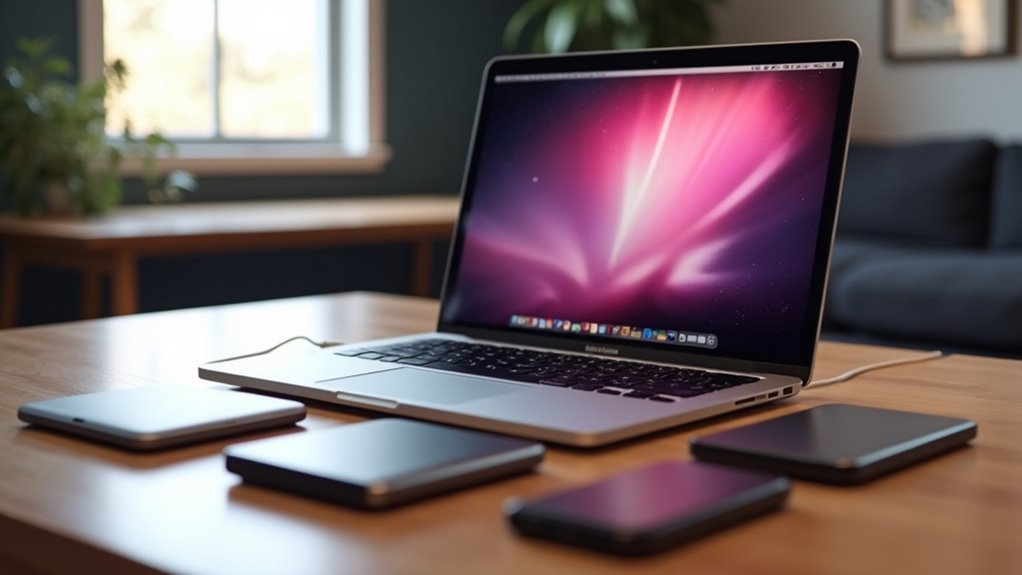

Searching for a 4TB MacBook Pro narrows the field—but two listings here do not actually have 4TB, so storage capacity needs checking before you choose. Among the true 4TB options, I rank the 14-inch M5 Max first for combining a compact footprint with 128GB of memory, while the 16-inch M5 Max is the stronger fit for sustained creative work and a larger screen. The renewed 2020 Intel model offers 4TB at a much older generation, making its legacy hardware and renewed condition important tradeoffs.

Prime made for students and young adults
- Fast, free delivery for dorm and study essentials
- Prime Video and Amazon Music included
- Member-only deals
My picks prioritize the requested 4TB capacity, then weigh chip generation, memory, screen size, and condition. That means the newer 1TB and 2TB MacBook Pros still appear as useful alternatives, but I do not present them as 4TB machines. If 4TB is non-negotiable, focus on the three listings that specify it; if you can use less internal storage, the newer M5 Pro models may better suit your budget and portability needs.
Key Takeaways
- The 14-inch M5 Max is my leading true-4TB pick for buyers who need 128GB memory and want a smaller display footprint than the 16-inch model.
- The 16-inch M5 Max also has 4TB and 128GB memory; its larger screen and supplied 140W adapter favor desk-based creative work over travel.
- The renewed 2020 Intel MacBook Pro is the only older-generation 4TB option, so it trades newer silicon for a large internal drive and 32GB RAM.
- The 2026 M5 Pro listings with 2TB and 1TB do not meet a strict 4TB requirement, even though they may suit buyers who can rely on external storage.
- Renewed condition and limited upgradeability matter: choose the needed storage and memory configuration at purchase, and check what accessories and condition are included.


| 4tb macbook pro laptop | Processor | Graphics | Memory | Storage |
|---|---|---|---|---|
| Apple MacBook Pro with M5 Max | Apple M5 Max, 18-core CPU | 40-core GPU | 128GB | 4TB SSD |
| Apple 16-inch MacBook Pro with | Apple M5 Max, 18-core CPU | 40-core GPU | 128GB | 4TB SSD |
| 2020 Apple MacBook Pro | Intel Core i5, 2.0GHz, 4 cores | Intel Iris Plus | 32GB DDR4 SDRAM | 4TB SSD |
| Apple 2026 MacBook Pro Laptop | Apple M5 Pro, 18-core CPU | 20-core GPU | 24GB unified memory | 2TB SSD |
| Apple MacBook Pro 2026 with M5 | Apple M5 Pro, 15-core CPU | 16-core GPU | 24GB | 1TB SSD |
More Details on Our Top Picks
Apple MacBook Pro with M5 Max, 14-inch, 128GB RAM, 4TB SSD, Space Black
This is my top pick for buyers who mean 4TB of internal storage and still want a relatively compact MacBook Pro. Its 14.2-inch Liquid Retina XDR display is smaller than the 16-inch M5 Max’s, but it keeps the same listed M5 Max, 40-core GPU, and 128GB memory. That combination gives demanding creative and technical workflows room to run without stepping up to the larger chassis simply to get the listed processing and memory configuration.
Compared with the renewed 2020 Intel model, this configuration is the more suitable choice for buyers prioritizing current-generation Apple silicon and substantial memory. The tradeoff is that its 4TB capacity and powerful components come in a product with limited upgrade options; it is important to choose the configuration you need upfront. It also remains a relatively heavy 14-inch machine, so buyers focused on light carry should compare the 1TB renewed M5 Pro, while accepting that it does not satisfy the 4TB brief.
I place it ahead of the 16-inch M5 Max because the smaller display makes the same headline storage and memory easier to fit into a mobile workflow. Choose the 16-inch instead if screen area matters more than compactness.
Pros:- 4TB SSD paired with 128GB memory
- M5 Max chip with an 18-core CPU and 40-core GPU
- 14.2-inch Liquid Retina XDR display
- Thunderbolt 5, HDMI, SDXC, and MagSafe 3 connectivity
Cons:- High-end configuration may exceed the needs of ordinary productivity users
- Limited upgrade options after purchase
- Still a substantial carry for a 14-inch laptop
Best for: Creative professionals, developers, and technical users who need 4TB internal storage, 128GB memory, and a smaller display than the 16-inch option.
Not ideal for: Buyers who do not need 4TB or 128GB memory, want a lightweight laptop, or prefer to pay for a lower-capacity configuration.
- Processor:Apple M5 Max, 18-core CPU
- Graphics:40-core GPU
- Memory:128GB
- Storage:4TB SSD
- Display:14.2-inch Liquid Retina XDR
- Wireless:Wi-Fi 7, Bluetooth 6
- Ports:Three Thunderbolt 5, MagSafe 3, SDXC, HDMI, headphone jack
Our verdict“I recommend this 14-inch M5 Max as the strongest balance of 4TB capacity, high memory, and manageable screen size in this group.”
Apple 16-inch MacBook Pro with M5 Max Chip, 128GB RAM, 4TB SSD, Space Black (2026)
When the work benefits from a broad built-in canvas, I would choose this 16.2-inch M5 Max over the 14-inch version. It keeps the same listed 4TB SSD, 128GB memory, 18-core CPU, and 40-core GPU, while giving you more screen area for arranging timelines, code, large documents, or multiple creative panels. The included 140W USB-C power adapter also suits a substantial workstation-style laptop.
The larger display is its central advantage and its central compromise. Compared with my top-ranked 14-inch M5 Max, this model is less convenient for frequent travel and tight workspaces; the supplied details also describe it as heavy and large. For buyers who usually work at a desk, the extra screen area may be more useful than the 14-inch model’s easier portability. For people who carry a laptop daily, the smaller M5 Max is the more balanced 4TB choice.
Both current M5 Max listings share the same core memory and storage numbers, so I would not treat this as a faster configuration based on the provided information. Its case for ranking second is the larger display**, not a stated performance edge. It is also a poor fit if your workload does not use substantial memory or if an external display already handles your workspace.
Pros:- 4TB SSD and 128GB memory
- M5 Max with an 18-core CPU and 40-core GPU
- 16.2-inch Liquid Retina XDR display
- Includes a 140W USB-C power adapter
Cons:- Large, heavy chassis is less convenient to carry
- High-end memory and chip configuration may be unnecessary for lighter workloads
- Configurable options are described as limited
Best for: Video editors, designers, and other professionals who want 4TB storage and 128GB memory with a larger built-in screen for detailed work.
Not ideal for: Frequent travelers, buyers with limited desk space, or anyone who values a smaller chassis more than expanded screen area.
- Processor:Apple M5 Max, 18-core CPU
- Graphics:40-core GPU
- Memory:128GB
- Storage:4TB SSD
- Display:16.2-inch Liquid Retina XDR
- Color:Space Black
- Power adapter:140W USB-C
Our verdict“Choose the 16-inch M5 Max over the 14-inch model when screen workspace is worth more to you than a smaller, easier-to-carry body.”
2020 Apple MacBook Pro (13-inch, 32GB RAM, 4TB SSD, Space Gray, Renewed)
This renewed 2020 MacBook Pro earns a place because it genuinely lists 4TB of SSD storage, but it is a very different kind of purchase from either M5 Max. Its 2.0GHz quad-core Intel Core i5 and 32GB of DDR4 memory belong to an older platform, while the newer M5 Max models pair the same storage capacity with 128GB memory and a newer chip generation. Buyers should choose this listing for its specified storage and older-machine fit—not assume it matches the newer systems for demanding professional workloads.
The 13.3-inch format and listed 1.4kg weight make it the more compact and lighter option on paper than the M5 Max models. It may suit a buyer whose priority is keeping a large project library on the machine, provided the Intel processor, Intel Iris Plus graphics, and renewed condition meet their needs. The listing states that the device is inspected by qualified suppliers and has battery capacity over 80%, but that is not the same as a new battery or original accessories.
Compared with the renewed 2026 M5 Pro below, this model doubles the stated internal storage from 1TB to 4TB, but gives up newer Apple silicon. It is my third pick because storage fits the roundup while age and renewed status limit its appeal. Verify the condition, included compatible accessories, and software needs before choosing it as a primary professional machine.
Pros:- 4TB SSD in a compact 13.3-inch model
- 32GB DDR4 memory
- Listed weight of 1.4kg
- Renewed listing specifies battery capacity above 80%
Cons:- Older quad-core Intel Core i5 platform
- Renewed condition, compatible non-original accessories, and generic packaging may apply
- Battery capacity is not stated as new
Best for: Storage-focused buyers who specifically want a 13-inch renewed MacBook Pro with 4TB and can work within an older Intel-based configuration.
Not ideal for: People seeking current-generation Apple silicon, high-end GPU capability, a new-device condition, or a machine for demanding workloads that need more memory.
- Model year:2020
- Processor:Intel Core i5, 2.0GHz, 4 cores
- Memory:32GB DDR4 SDRAM
- Storage:4TB SSD
- Display:13.3-inch Retina
- Graphics:Intel Iris Plus
- Weight:1.4kg
- Condition:Renewed; battery capacity listed above 80%
Our verdict“I would consider this renewed Intel model only when 4TB internal storage and a compact older MacBook Pro matter more than newer silicon.”
Apple 2026 MacBook Pro Laptop with M5 Pro Chip, 14.2-inch Liquid Retina XDR Display, 24GB RAM, 2TB SSD, Space Black
This 2026 M5 Pro is a deliberate non-4TB alternative, not a match for someone who requires the full capacity internally. It lists a 2TB SSD, 24GB unified memory, and an 18-core CPU with a 20-core GPU. Those specifications may be a better fit than the M5 Max’s 128GB memory for many professional users who need a current-generation MacBook Pro but do not have workloads that use the larger configuration.
Compared with the 4TB M5 Max options, this machine gives up half the listed storage and a substantial amount of memory, as well as the M5 Max GPU configuration. In return, it offers a 14.2-inch display and a less extreme specification profile. If the working library can live partly on external storage, this may be a more sensible direction than buying more internal capacity and memory than the work calls for. If your project files must stay on the laptop, the storage difference is decisive.
The listing includes Thunderbolt 5, HDMI, SDXC, MagSafe 3, Wi-Fi 7, and Bluetooth 6, giving it a broad connection selection for peripherals and media workflows. It is my fourth pick because it is a strong adjacent option, but 2TB does not meet the title’s 4TB requirement. I would not buy it expecting an internal storage upgrade later.
Pros:- M5 Pro chip with an 18-core CPU and 20-core GPU
- 14.2-inch Liquid Retina XDR display
- 24GB unified memory
- Thunderbolt 5, HDMI, SDXC, and MagSafe 3
Cons:- 2TB SSD is half the capacity of the true-4TB M5 Max options
- 24GB memory is far below the 128GB in the M5 Max listings
- Does not meet a strict 4TB internal-storage requirement
Best for: Professionals who want a current 14-inch M5 Pro MacBook Pro and can work with 2TB internal storage or external drives.
Not ideal for: Anyone who needs 4TB built into the laptop or regularly runs memory-intensive workflows that call for 128GB.
- Processor:Apple M5 Pro, 18-core CPU
- Graphics:20-core GPU
- Memory:24GB unified memory
- Storage:2TB SSD
- Display:14.2-inch Liquid Retina XDR
- Wireless:Wi-Fi 7, Bluetooth 6
- Ports:Three Thunderbolt 5, MagSafe 3, SDXC, HDMI, headphone jack
Our verdict“Choose this M5 Pro only if 2TB is enough; for a true 4TB MacBook Pro, the M5 Max listings are the clearer fit.”
Apple MacBook Pro 2026 with M5 Pro Chip, 14.2-inch, 24GB RAM, 1TB SSD, Space Black (Renewed)
This renewed 2026 M5 Pro is the smallest-storage configuration in the group, with a 1TB SSD rather than 4TB. Its place here is for buyers willing to trade internal capacity for a newer M5 Pro generation and a renewed 14.2-inch machine. The listing gives a 15-core CPU, 16-core GPU, and 24GB memory, while describing a 120Hz display with a maximum resolution of 3024 by 1964 pixels.
Against the 2TB M5 Pro, it has half the listed storage, so the 2TB model is the more convincing choice when internal space is the priority. Compared with the true-4TB M5 Max models, this renewed option has much less storage and memory, but may better suit someone whose work fits within 1TB and who is willing to accept a renewed device. The listing notes that accessories may not be original and battery capacity may be below new, though above 80%.
I rank it last because the search is specifically about 4TB laptops, and this configuration is short by 3TB. Its M5 Pro chip and 24GB memory still make it relevant as a compact alternative, but those advantages do not change the capacity mismatch. Check the supplied condition and accessories, and avoid it if you need large project files stored locally.
Pros:- M5 Pro chip with a 15-core CPU and 16-core GPU
- 24GB memory
- 14.2-inch display with 120Hz refresh rate listed
- Renewed configuration from the 2026 MacBook Pro generation
Cons:- 1TB SSD is the lowest capacity in this roundup
- Renewed condition may include non-original accessories and battery capacity below new
- Does not satisfy a 4TB internal-storage requirement
Best for: Buyers seeking a renewed, compact 2026 M5 Pro MacBook Pro who can keep internal storage needs to 1TB.
Not ideal for: Anyone shopping specifically for 4TB storage, wanting a new device, or needing the 128GB memory offered by the M5 Max configurations.
- Processor:Apple M5 Pro, 15-core CPU
- Graphics:16-core GPU
- Memory:24GB
- Storage:1TB SSD
- Display:14.2-inch LED, 3024 x 1964, 120Hz listed
- Operating system:macOS Tahoe
- Condition:Renewed; battery capacity stated above 80%
Our verdict“This renewed M5 Pro makes sense only for a buyer who values its newer compact configuration more than the 4TB capacity this roundup targets.”

How We Picked
I ranked these listings against the specific search for 4TB MacBook Pro laptops, rather than treating every MacBook Pro as an equivalent match. The first distinction is straightforward: only the 14-inch M5 Max, 16-inch M5 Max, and renewed 2020 Intel model explicitly list 4TB. The 2TB and 1TB M5 Pro configurations remain in the roundup as alternatives, but their lower storage capacity is a defining limitation, not a footnote.
Among the 4TB choices, I gave weight to processor generation and memory because high-resolution video, large creative projects, development environments, and local data sets can demand more than drive capacity alone. The M5 Max models pair 4TB with 128GB of memory and current-generation Apple silicon, while the older Intel model lists 32GB and a quad-core Core i5. I then compared screen size and practical fit: the 14-inch M5 Max favors a more compact setup, whereas the 16-inch version gives more workspace. Finally, I treated renewed condition as a genuine tradeoff, including the 2020 model’s battery threshold and the 2026 renewed model’s 1TB capacity. I do not infer performance figures, battery runtime, or condition beyond the supplied listing details.
| 4tb macbook pro laptop | Processor |
|---|---|
| Apple MacBook Pro with M5 Max | Apple M5 Max, 18-core CPU |
| Apple 16-inch MacBook Pro with | Apple M5 Max, 18-core CPU |
| 2020 Apple MacBook Pro | Intel Core i5, 2.0GHz, 4 cores |
| Apple 2026 MacBook Pro Laptop | Apple M5 Pro, 18-core CPU |
| Apple MacBook Pro 2026 with M5 | Apple M5 Pro, 15-core CPU |
Factors to Consider When Choosing 4tb Macbook Pro Laptops
For a 4TB MacBook Pro, I would first separate actual internal capacity from configurations that simply offer a newer chip or familiar product name. Of these five listings, three specify 4TB. The other two can suit buyers who have smaller local storage needs, but neither should be mistaken for a 4TB model.
Start With the Storage Requirement
Decide whether you need 4TB built into the laptop, or whether 1TB or 2TB plus external drives will work. A large internal SSD keeps active projects and frequently used files on the computer, while external storage can separate archives from day-to-day work. The tradeoff is carrying and managing more hardware. Here, the 14-inch and 16-inch M5 Max models and the renewed 2020 Intel model list 4TB; the two M5 Pro alternatives list 2TB and 1TB.
Do not count an external drive as part of the laptop’s internal capacity. If you buy below your actual local storage need, there is no listed upgrade path that will turn these configurations into a 4TB internal-storage machine later.
Match Memory and Chip to the Work
The M5 Max listings pair 128GB memory with an 18-core CPU and 40-core GPU. That specification is aimed at unusually demanding multitasking and creative or technical workflows. Buyers who mostly handle documents, web apps, and everyday photo work may not need that much capacity. The M5 Pro options list 24GB, while the renewed Intel model lists 32GB DDR4; these are not interchangeable configurations, and the supplied specs do not support a direct performance estimate across generations.
My practical rule is to choose for the applications and project sizes you use, rather than buying the largest memory figure automatically. If your software, files, and simultaneous workloads benefit from extensive memory, the M5 Max has the strongest listed fit. If not, a lower-capacity M5 Pro may be a more appropriate alternative, provided its storage also works.
Choose a Screen Size for Your Work Pattern
The 14.2-inch models are the more compact choices in the current-generation listings. The 14-inch M5 Max preserves 4TB and 128GB memory while taking up less screen space than the 16-inch M5 Max. That can help for mobile work, although the supplied information still describes the M5 Max 14-inch model as heavy for its size.
The 16.2-inch M5 Max favors a larger built-in workspace. Editors and designers who keep timelines, panels, or multiple windows visible may value that extra room; commuters may find the larger body less convenient. The renewed 2020 model’s 13.3-inch screen is the smallest listed, but it comes with older Intel hardware and renewed condition, so screen size alone should not drive the decision.
Treat Renewed Condition as a Separate Decision
Two options are marked renewed, and their capacity differs sharply: the 2020 Intel model lists 4TB**, while the 2026 M5 Pro lists only 1TB. The 2020 listing states battery capacity above 80% and compatible accessories; the newer renewed listing also notes that accessories may not be original and battery capacity may be below new. Neither description is the same as a new-device condition.
Before choosing a renewed listing, read its condition details and confirm what accessories are included. Also decide whether a used or renewed battery suits your daily routine. If you want a current-generation 4TB configuration, the M5 Max choices avoid this particular renewed-condition tradeoff.
Consider Ports and Your Desk Setup
The 14-inch M5 Max and 2TB M5 Pro list three Thunderbolt 5 ports, MagSafe 3, SDXC, HDMI, and a headphone jack, which can reduce reliance on adapters for common displays, cards, and peripherals. The 16-inch M5 Max listing does not provide a full port list in the supplied specifications, so check its product details if a specific connection is a requirement. The older Intel model lists four USB ports, Thunderbolt, and USB Type-C, but its generation and port details should be checked against your existing accessories.
Think through your normal setup: external displays, card readers, audio devices, docks, and charging. A laptop that fits the storage need but forces extra adapters may be less convenient than a configuration with the connections your workspace already uses.
Frequently Asked Questions
Which listings in this roundup actually have 4TB of internal storage?
The 14-inch M5 Max with 128GB memory, the 16-inch M5 Max with 128GB memory, and the renewed 2020 Intel MacBook Pro each list a 4TB SSD. The 2026 M5 Pro alternatives list 2TB and 1TB, respectively. I would treat those as lower-capacity options, not as 4TB MacBook Pros.
Which 4TB MacBook Pro should I choose for travel?
Among the true-4TB options, I would start with the 14-inch M5 Max because it has a smaller display and chassis than the 16-inch M5 Max while retaining the listed 4TB storage and 128GB memory. The supplied details still describe it as heavy for a 14-inch laptop, so buyers who prioritize light carry should weigh that drawback rather than assuming the smaller screen makes it lightweight.
Is the renewed 2020 MacBook Pro a sensible 4TB choice?
It can fit a buyer who values 4TB internal storage, a compact 13.3-inch format, and 32GB memory over newer silicon. Its Intel Core i5 and renewed status are meaningful compromises beside the M5 Max configurations, and the listing states battery capacity above 80% rather than a new battery. I would check the condition and included accessories carefully before choosing it for primary professional work.
Should I choose the 14-inch or 16-inch M5 Max?
I would pick the 14-inch M5 Max for a more compact setup and the 16-inch M5 Max when the larger built-in screen is useful for detailed, panel-heavy work. Both listings specify 4TB storage, 128GB memory, an 18-core CPU, and a 40-core GPU, so the clearest distinction in the supplied specifications is screen size and portability rather than a stated performance difference.
Can a 1TB or 2TB MacBook Pro replace a 4TB model?
It can if your active files fit on the internal drive and you are comfortable keeping archives or larger projects on external storage. The 2TB M5 Pro gives twice the listed capacity of the renewed 1TB M5 Pro, but both fall short of the three 4TB configurations here. If you need 4TB available internally without an external drive, choose one of the listings that explicitly specifies a 4TB SSD.
Conclusion
For most buyers committed to 4TB internal storage, I recommend the 14-inch M5 Max: it pairs the requested capacity with 128GB memory and avoids the larger footprint of the 16-inch model. Choose the 16-inch M5 Max if a larger built-in workspace matters more than portability. The renewed 2020 Intel MacBook Pro is a narrower fit for buyers who want 4TB in a smaller, older machine and accept renewed condition and legacy hardware.
If your real priority is a newer MacBook Pro rather than 4TB, the 2TB M5 Pro is the stronger lower-capacity alternative; the renewed 1TB M5 Pro is for buyers whose files fit comfortably on a smaller drive. I would not select either while assuming it meets a 4TB requirement. Check the storage figure, memory, screen size, and condition together, then choose the configuration that matches the work you actually keep on the laptop.
Black Friday Picks

Sony WH-1000XM6 Wireless Noise-Canceling Headphones, Black
As an affiliate, we earn on qualifying purchases.