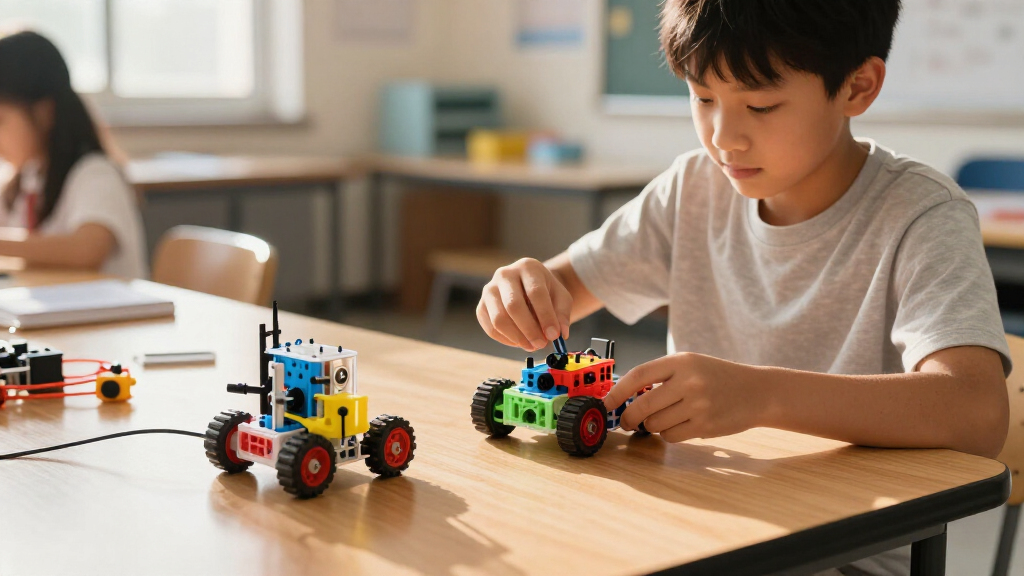

Programmable robot kits for students range from simple app-controlled cars to open-source robotic arms that teach real coding and electronics, and the right choice depends on the student’s age, coding background, and how long the kit needs to stay interesting. Freenove’s Big Hexapod Robot Kit for Raspberry Pi earns my best overall pick because its six-legged walking design, camera vision, and Python-based platform keep challenging students well past the first build. For classroom-style project work, BirdBrain’s Hummingbird Bit Premium Kit stands out with its block-to-text coding progression, while ACEBOTT’s QD106 Smart Robot Car Kit is the friendliest entry point for ages 8 to 16. The main tradeoff across this category is simplicity versus longevity: pre-designed car kits build confidence fast but run out of curriculum, whereas Raspberry Pi and multi-DOF arm kits demand more setup patience but grow with the student for years. Read on for the full ranked breakdown.

Get school and study supplies delivered free — and shop member deals
- Fast, free delivery on millions of items
- Access to Prime Big Deal Days deals on October 6–7
- Prime Video, Amazon Music and more included
Key Takeaways
- Kits built around Raspberry Pi (Freenove Hexapod) or ESP32 (SIYEENOVE arm) offered the longest learning runway because students can move from block coding to Python and C++ on the same hardware.
- Four of the twelve products in this lineup are robot arms, and the 5-DOF and 6-DOF models (Adeept, LewanSoul LeArm) teach more meaningful programming concepts than the 4-DOF versions, which feel limited once basic pick-and-place is mastered.
- ACEBOTT dominates the beginner-to-intermediate middle of this roundup with five entries, but their kits overlap heavily — choosing between them comes down to whether the student wants a car, an arm, or a convertible tank build.
- The Hummingbird Bit is the only kit here designed as a classroom engineering platform rather than a finished robot, making it the best fit for teachers but a weaker choice for a student who wants one satisfying build out of the box.
- Soldering requirements, assembly time, and the need for a separate computer or microSD setup were the biggest hidden friction points — several kits assume an adult helper for younger students despite kid-friendly marketing.
| Freenove Big Hexapod Robot Kit for Raspberry Pi |  | Best Advanced Project | Brand: Freenove | Model: FNK0052 | Compatible Raspberry Pi models: Pi 5, 4B, 3B+, 3B, 3A+; others may need extra parts | VIEW LATEST PRICE | See Our Full Breakdown |
| BirdBrain Technologies Hummingbird Bit Premium Robotics Kit |  | Best for Classrooms | Brand: BirdBrain Technologies | Age range: 12+ | Controller: micro:bit | VIEW LATEST PRICE | See Our Full Breakdown |
| SIYEENOVE 4DOF ESP32 Programmable Robotic Arm Kit |  | Best Value Arm Kit | Degrees of freedom: 4 | Controller: ESP32-C3 | Servos: 4 MG90S | VIEW LATEST PRICE | See Our Full Breakdown |
| ACEBOTT QD106 Smart Robot Car Kit for Kids Ages 8-16 |  | Best for Beginners | Brand: ACEBOTT | Model: QD106 | Controller: ESP32 | VIEW LATEST PRICE | See Our Full Breakdown |
| ACEBOTT 5-DOF Smart Robot Arm Car Kit |  | Best Two-in-One Build | Controller: ESP32 | Robotic arm: 5 degrees of freedom with 5 metal gear servos | Wheel type: 6 cm omnidirectional Mecanum wheels | VIEW LATEST PRICE | See Our Full Breakdown |
| ACEBOTT 4-in-1 Programmable Robot Arm and Tank Car STEM Kit |  | Best Multi-Build Versatility | Configurations: 4 modular robot builds | Robotic arm: 5DOF programmable arm | Controller: ESP32 | VIEW LATEST PRICE | See Our Full Breakdown |
| LewanSoul LeArm Open Source 6DOF Robotic Arm Kit |  | Best for Advanced Students | Brand: LewanSoul | Model: LeArm Open Source | Degrees of Freedom: 6DOF | VIEW LATEST PRICE | See Our Full Breakdown |
| ACEBOTT Programmable Robot Kit with App and Remote Control |  | Best for Younger Beginners | Controller: ESP32 | Tutorials: 16 story-based tutorials | Compatibility: Arduino and Scratch | VIEW LATEST PRICE | See Our Full Breakdown |
| ACEBOTT Smart Robot Arm Car Kit with 5DOF |  | Best Coding Progression | Brand: ACEBOTT | Model Number: QD037 | Controller: ESP32 | VIEW LATEST PRICE | See Our Full Breakdown |
| ELEGOO Conqueror Robot Tank Kit with UNO R3 |  | Best Value for Features | Brand: ELEGOO | Model: EL-KIT-021 | Controller: UNO R3 | VIEW LATEST PRICE | See Our Full Breakdown |
| Adeept 5-DOF Programmable Robotic Arm Kit for Arduino |  | Best for Advanced Coders | Brand: Adeept | Model: ADA031 | Degrees of freedom: 5 | VIEW LATEST PRICE | See Our Full Breakdown |
| LewanSoul LeArm 6DOF Programmable Robotic Arm Kit |  | Best Desktop Workhorse | Brand: LewanSoul | Model: LeArm | Degrees of freedom: 6 | VIEW LATEST PRICE | See Our Full Breakdown |
| programmable robot kits for student | Controller | Brand | Control methods | Model |
|---|---|---|---|---|
| Freenove Big Hexapod Robot Kit | — | Freenove | Android, iPhone, Windows, macOS, or Raspberry Pi OS | FNK0052 |
| BirdBrain Technologies Humming | micro:bit | BirdBrain Technologies | — | — |
| SIYEENOVE 4DOF ESP32 Programma | ESP32-C3 | — | Joysticks and web interface | — |
| ACEBOTT QD106 Smart Robot Car | ESP32 | ACEBOTT | Smartphone app (iOS/Android), IR remote | QD106 |
| ACEBOTT 5-DOF Smart Robot Arm | ESP32 | — | — | — |
| ACEBOTT 4-in-1 Programmable Ro | ESP32 | — | iOS and Android app, IR remote | — |
| LewanSoul LeArm Open Source 6D | ESP32 | LewanSoul | App, PC Software, Wireless Controller | LeArm Open Source |
| ACEBOTT Programmable Robot Kit | ESP32 | — | — | — |
| ACEBOTT Smart Robot Arm Car Ki | ESP32 | ACEBOTT | Mobile App (iOS/Android), IR Remote | — |
| ELEGOO Conqueror Robot Tank Ki | UNO R3 | ELEGOO | — | EL-KIT-021 |
| Adeept 5-DOF Programmable Robo | — | Adeept | Potentiometer knobs; PC software | ADA031 |
| LewanSoul LeArm 6DOF Programma | — | LewanSoul | PC, app, mouse, and wireless handle | LeArm |
More Details on Our Top Picks
Freenove Big Hexapod Robot Kit for Raspberry Pi
Most kits in this lineup move on wheels; this one walks. With six legs and three motors per leg, the Big Hexapod gives students eighteen servos to coordinate, which makes it the closest thing here to real robotics engineering. The included camera and ultrasonic sensor open the door to vision-based Python projects that the ACEBOTT QD106 simply can’t match. That ambition comes at a cost: you supply your own Raspberry Pi, batteries, and charger, and the tutorial exists only as a download. Compared with the ACEBOTT 5-DOF arm car, the barrier to entry is far higher, but so is the ceiling — gait programming and computer vision are genuinely resume-worthy skills. This pick makes the most sense for a student who has already built a wheeled kit and wants a serious next step.
Pros:- 18 servos across six legs teach advanced gait and motion programming
- Camera and ultrasonic sensor enable vision-based Python projects
- Works with a wide range of Raspberry Pi models
- Wireless control from phones, tablets, and computers
Cons:- Raspberry Pi, batteries, and charger must be bought separately
- Some compatible Pi models need extra parts
- No printed manual — tutorial and code are download-only
Best for: High school or college students comfortable with Python who want an ambitious, long-term build
Not ideal for: First-time builders — the Pi, batteries, and 18-servo assembly are too much for a beginner weekend project
- Brand:Freenove
- Model:FNK0052
- Compatible Raspberry Pi models:Pi 5, 4B, 3B+, 3B, 3A+; others may need extra parts
- Legs:6
- Motors per leg:3
- Sensors:Camera and ultrasonic distance sensor
- Programming language:Python
- Control methods:Android, iPhone, Windows, macOS, or Raspberry Pi OS
- Not included:Raspberry Pi, batteries, battery charger
Our verdict“A demanding but rewarding platform for experienced students ready to move beyond wheeled kits into walking robotics.”
BirdBrain Technologies Hummingbird Bit Premium Robotics Kit
Where the Freenove Hexapod locks you into a fixed chassis, the Hummingbird Bit flips the model: students build robots out of cardboard, craft sticks, and everyday materials, then bring them to life with the micro:bit controller. That open-endedness is exactly why libraries and STEM classrooms favor it — every group produces something different. The path from block-based MakeCode to Python to Java means one kit serves a seventh-grader and a AP Computer Science student alike, something the Arduino-only ACEBOTT 5-DOF kit cannot do. The tradeoff is that it feels less like a polished product and more like a component library: there is no single impressive robot to show off on day one, and you will need to supply your own batteries and building materials.
Pros:- Three programming languages scale from beginner blocks to Java
- Robots are built from craft materials, encouraging creative design
- Rich sensor selection including light, dial, distance, and sound
- Proven in school, library, and home learning environments
Cons:- Batteries not included despite the battery holder being supplied
- Requires sourcing your own building materials for each project
Best for: Teachers, librarians, and parents running group STEM programs with mixed skill levels
Not ideal for: A student who wants a polished, predefined robot build with immediate wow factor
- Brand:BirdBrain Technologies
- Age range:12+
- Controller:micro:bit
- Programming languages:MakeCode, Python, Java
- Sensors:Light, dial, distance, sound
- Motors:2 position servos, 2 rotation servos
- Included components:Bit controller, terminal tool, battery holder, LEDs, sensors, servo motors, wheels, plastic block adapters, extension cables
- Educational objectives:Coding, problem solving, programming
Our verdict“The most flexible teaching kit in this lineup, built for classrooms where creativity matters more than a fixed build.”
SIYEENOVE 4DOF ESP32 Programmable Robotic Arm Kit
Robotic arms often mean a big budget, but this SIYEENOVE kit keeps things lean without cutting the interesting parts. The ESP32-C3 board gives it built-in Wi-Fi, so students can drive the arm from a web browser and record motion sequences for looped playback — the same industrial-style programming concept taught by pricier arms like the LewanSoul LeArm, at a friendlier entry point. Support for both Arduino and MicroPython means it grows with the learner. Be realistic about hardware limits, though: four degrees of freedom restricts what the arm can reach, and the claw handles only lightweight objects. Compared with the Adeept 5-DOF arm, you give up an axis of motion but avoid a more complicated build. This option stands out for desktop-scale learning where budget and desk space are both tight.
Pros:- Web interface plus physical joysticks for two control styles
- Sequence recording and loop playback teach automation fundamentals
- Dual-language support with Arduino and MicroPython
- Open-source code and tutorials included
Cons:- Batteries not included
- Claw and servos limited to very lightweight objects
- Four degrees of freedom restricts reach compared with 5-6DOF arms
Best for: Students on a budget who want to learn arm robotics and automation concepts at a desk
Not ideal for: Anyone expecting to lift or manipulate heavier objects — the MG90S servos and small claw are strictly light-duty
- Degrees of freedom:4
- Controller:ESP32-C3
- Servos:4 MG90S
- Control methods:Joysticks and web interface
- Programming support:Arduino and MicroPython
- Motion features:Sequence recording and loop playback
- Batteries:Not included
Our verdict“A low-cost entry into robotic arm programming that trades lifting power and reach for affordability.”
ACEBOTT QD106 Smart Robot Car Kit for Kids Ages 8-16
Of everything in this roundup, the QD106 does the best job of meeting young students where they are. Instead of starting with Python syntax, learners begin in Scratch-style block coding on a phone or tablet, then graduate to Arduino and Python when ready — a gentpler ladder than the Python-first Freenove Hexapod. Assembly needs no soldering, and video tutorials walk through every step, so an eight-year-old with a parent’s help can realistically finish the build. Compared with the ACEBOTT 5-DOF arm car, there is less mechanical complexity, which is precisely the point: fewer parts, faster success, stronger motivation. Note the mismatch in labeling — the box says ages 8–16, the manufacturer says 12+, so younger kids will need adult supervision. And like nearly every kit here, batteries come separately.
Pros:- Scratch-to-Python progression supports genuine skill growth
- Coding works on phones, tablets, and computers
- No-soldering assembly with step-by-step video tutorials
- Both app and IR remote control give instant interactive feedback
Cons:- Batteries not included
- Age guidance is inconsistent — marketed for 8+, manufacturer recommends 12+
- Simple hardware may be quickly outgrown by advancing students
Best for: Kids roughly 8–12 starting their first robotics project, ideally with a parent helping
Not ideal for: Teens who already know Arduino or Python — they will outgrow the limited hardware quickly
- Brand:ACEBOTT
- Model:QD106
- Controller:ESP32
- Supported languages:Scratch, Arduino, Python
- Control methods:Smartphone app (iOS/Android), IR remote
- Age range:8–16 years (manufacturer recommends 12+)
- Assembly:No soldering required
- Included components:Smart car kit, IR remote
Our verdict“The friendliest on-ramp to robotics in this batch, ideal for a first build under adult supervision.”
ACEBOTT 5-DOF Smart Robot Arm Car Kit
Why choose between a robot car and a robot arm? This kit combines both: a five-DOF arm with metal gear servos mounted on a chassis with Mecanum wheels that strafe sideways as well as drive forward. That combination unlocks projects the SIYEENOVE 4DOF arm or a plain car kit can’t touch — driving to an object, picking it up, and carrying it away. The pre-burned program means it works right after assembly, and the paper manual is a welcome change from download-only guides. The catch is complexity: Arduino is the only language, so block coders coming from the ACEBOTT QD106 face a real jump, and the build itself is a multi-session commitment. Batteries, once again, are on you.
Pros:- Combines driving, steering, and object manipulation in one platform
- Mecanum wheels allow sideways and diagonal movement
- Autonomous cruising, obstacle avoidance, and follow modes included
- Paper assembly manual and pre-burned program for immediate play
Cons:- Arduino-only programming limits accessibility for beginners
- Long, demanding assembly compared with simpler car kits
- Batteries not included
Best for: Middle and high school students ready for a challenging combined mobility-and-manipulation project
Not ideal for: Scratch or block-based coders — Arduino-only support makes this a steep step up from beginner kits
- Controller:ESP32
- Robotic arm:5 degrees of freedom with 5 metal gear servos
- Wheel type:6 cm omnidirectional Mecanum wheels
- Sensors:Ultrasonic and infrared
- Programming:Arduino
- Control:Infrared remote and app
- Arm ranges:260° clamp, 180° wrist, elbow, and base rotation
- Recommended age:12+
- Batteries:Not included
Our verdict“A rewarding two-in-one challenge for Arduino-ready students who want a robot that both drives and grabs.”
ACEBOTT 4-in-1 Programmable Robot Arm and Tank Car STEM Kit
Most kits in this roundup lock a student into one machine; this one spreads a single purchase across four distinct builds — a car, a tank, an arm car, and an arm tank. That flexibility makes it a standout for classrooms or siblings sharing a kit, because rebuilding extends the learning long after the first assembly is finished. The 5DOF arm matches what you get on the ACEBOTT Smart Robot Arm Car Kit, but here it pairs with rubber tank treads that handle carpet and grass better than Mecanum wheels. Scratch support lowers the entry barrier for younger coders, while Arduino keeps older students challenged. The tradeoff is friction: parts must be reconfigured between builds, and tutorials live on the manufacturer’s website rather than in a printed manual, which can slow younger beginners compared with the ELEGOO Conqueror’s fully boxed instructions.
Pros:- Four modular builds from one set of parts extends long-term value
- Both Scratch and Arduino support a wide skill range
- Tank treads handle varied terrain better than wheeled rivals
- Dual control via app and IR remote adds flexibility
Cons:- Rebuilding between configurations takes time and patience
- Tutorials and code must be downloaded from the manufacturer’s website
Best for: Families and classrooms who want one kit to serve multiple builds and skill levels over a long period
Not ideal for: Younger beginners under 10 who will struggle with reassembly between configurations and web-based tutorials
- Configurations:4 modular robot builds
- Robotic arm:5DOF programmable arm
- Controller:ESP32
- Programming compatibility:Arduino and Scratch
- Control methods:iOS and Android app, IR remote
- Tutorials:16 guided tutorials
- Tracks:Rubber tank treads
Our verdict“This is the pick for buyers who want maximum mileage from a single kit and don’t mind frequent rebuilding.”
LewanSoul LeArm Open Source 6DOF Robotic Arm Kit
This is the most serious engineering proposition in this batch. Where the ACEBOTT kits target the 8–16 crowd with story-based tutorials, the LeArm Open Source is aimed squarely at students 16 and up who want a genuine robotics-engineering experience. Its 6DOF aluminum frame out-articulates the 5DOF ACEBOTT arms, and its smart PWM servos with inverse kinematics enable the kind of precise, coordinated motion students will encounter in real automation work. Fully open-source code and expansion support for AI vision and ultrasonic sensors mean it can grow into a serious project platform rather than a one-off build — something only the BirdBrain Hummingbird Bit can rival in this roundup. The flip side: assembly is genuinely demanding, and there’s no friendly Scratch on-ramp, so it’s the wrong first robot.
Pros:- 6DOF aluminum construction offers professional-grade articulation
- Fully open-source with extensive tutorials and sample code
- Inverse kinematics enables precise, realistic motion control
- Expandable with AI vision and ultrasonic sensor modules
Cons:- Assembly is demanding even for motivated beginners
- No visual/block coding path for younger or novice users
Best for: High school and college students ready for Arduino-level programming and long-term sensor projects
Not ideal for: Beginners and younger kids — the build is complex and the coding assumes prior experience
- Brand:LewanSoul
- Model:LeArm Open Source
- Degrees of Freedom:6DOF
- Controller:ESP32
- Compatibility:Arduino
- Servos:6 Smart PWM Servos
- Material:Aluminum
- Control Methods:App, PC Software, Wireless Controller
- Age Range:16 years and up
Our verdict“A genuine pre-engineering tool for older students — skip it if this is a first robot.”
ACEBOTT Programmable Robot Kit with App and Remote Control
Of the three ACEBOTT entries in this batch, this one does the best job of meeting younger students where they are. The 16 story-based tutorials turn coding lessons into a narrative rather than a dry exercise — a real advantage over the ACEBOTT Smart Robot Arm Car Kit, which leans on a conventional paper manual. Scratch support lets an 8-year-old drag blocks before graduating to Arduino, and the Mecanum wheels with full 360° movement make the results immediately fun to drive, even before serious coding begins. HD assembly videos fill gaps that printed instructions often leave. The costs of this friendliness are real, though: batteries ship separately, and the most exciting extras — camera, arm, tank treads, solar panel — are paid expansions, so the ceiling rises only with further spending.
Pros:- Story-based tutorials and HD videos suit young first-timers
- Scratch provides a low-barrier coding on-ramp
- Mecanum wheels enable sideways and rotational movement
- Both app and IR remote control work out of the box
Cons:- Batteries are not included
- Compelling expansions like the camera and arm are sold separately
Best for: Parents of kids aged 8–12 who want a gentle, story-driven introduction to robotics and Scratch coding
Not ideal for: Budget-conscious buyers who want everything in the box — batteries and expansions cost extra
- Controller:ESP32
- Tutorials:16 story-based tutorials
- Compatibility:Arduino and Scratch
- Control:iOS and Android app; infrared remote
- Movement:Four-wheel drive with 360° Mecanum movement
- Recommended age:8–16 years
- Batteries:Not included
- Optional expansions:Camera, robotic arm, tank track, and solar panel kits sold separately
Our verdict“The friendliest entry point in this batch for elementary and middle school students starting from zero.”
ACEBOTT Smart Robot Arm Car Kit with 5DOF
What separates this kit from the nearly identical ACEBOTT Programmable Robot Kit is the coding ladder it offers. Supporting Arduino, Python, and Blockly in one platform, it lets a student climb from visual blocks to a language that actually matters in computer science coursework — a progression neither the 4-in-1 kit (Scratch only) nor the ELEGOO Conqueror (blocks and Arduino) fully covers. Pairing a 5DOF arm with Mecanum wheels gives it two distinct robotics disciplines in one build: manipulation and locomotion. Compared with the LewanSoul LeArm, the arm is less precise and less robust, but the audience is different — this is for the 8–16 range building skills, not a 16+ student engineering a workspace. Note that assembly can frustrate without electronic tutorials on hand, and batteries are, again, not in the box.
Pros:- Blockly-to-Python-to-Arduino path supports genuine skill growth
- Combines arm manipulation and Mecanum locomotion in one build
- 16 guided tutorials ease the learning curve
- Modular add-ons like cameras and solar panels extend the platform
Cons:- Batteries required but not included
- Assembly can be difficult relying only on the paper manual
Best for: Middle school students ready to progress from block coding into Python and Arduino
Not ideal for: Absolute beginners who need hand-holding — the paper manual alone can make assembly tough
- Brand:ACEBOTT
- Model Number:QD037
- Controller:ESP32
- Degrees of Freedom:5DOF
- Coding Languages:Arduino, Python, Blockly
- Control Methods:Mobile App (iOS/Android), IR Remote
- Wheel Type:360° Mecanum Wheels
- Recommended Age:8-16+ years
- Batteries Included:No
Our verdict“The strongest choice for a student whose next step is real programming languages, not just remote-control fun.”
ELEGOO Conqueror Robot Tank Kit with UNO R3
Where the ACEBOTT kits ask you to buy batteries — and often expansions — separately, the ELEGOO Conqueror arrives essentially complete: metal chassis, camera, sensors, motors, battery, tools, and instructions all in one box. That completeness, plus five genuinely different behavior modes, gives it the best feature-per-dollar story in this batch. The FPV camera streaming to a phone is something none of the three ACEBOTT entries can do without add-on purchases, and modes like obstacle avoidance, line tracking, and auto-follow teach real sensor logic, not just driving. It uses the classic UNO R3 rather than ESP32, which some may see as dated, but it means abundant community resources for Arduino learners. The catches: it’s a single fixed build with no reconfiguration like the ACEBOTT 4-in-1, and FPV requires a compatible phone.
Pros:- Everything included: battery, tools, sensors, camera, and instructions
- Five interactive modes teach real sensor-based robotics
- Live FPV video streaming adds immediate excitement
- No-solder assembly suits classroom and home use
Cons:- Single fixed build limits long-term reconfiguration
- FPV streaming depends on having a compatible phone
Best for: Budget-minded buyers who want a complete, sensor-rich kit with nothing extra to purchase
Not ideal for: Students who want to rebuild or reconfigure — this is one fixed tank design
- Brand:ELEGOO
- Model:EL-KIT-021
- Controller:UNO R3
- Camera:OV2640
- Wireless Module:ESP32-WROVER Wi-Fi
- Modes:FPV driving, IR remote control, obstacle avoidance, line tracking, auto-follow
- Battery:7.4 V
- Age Recommendation:10 years and up
- Assembly:No soldering required
Our verdict“The most complete out-of-the-box package here — ideal when you want everything included on day one.”
Adeept 5-DOF Programmable Robotic Arm Kit for Arduino
This kit stands out as the most code-first option in this lineup. Where kits like the ACEBOTT QD106 lean on app control and the LewanSoul LeArm offers graphical programming, the Adeept arm pushes students straight into Arduino IDE, with provided code routines that teach real C++ skills rather than drag-and-drop shortcuts. The self-learning, drawing, and imitation modes give it genuine classroom versatility — students can record positions, replay movements, and even mount a pen for writing tasks.
The tradeoffs are real, though. With only 5 degrees of freedom and a polycarbonate frame, it is lighter-duty than the metal LeArm, and the age recommendation of 16 and up reflects the soldering-free but still fiddly wiring. Documentation is digital only, so anyone wanting a printed manual should look elsewhere.
Pros:- Full Arduino IDE programming with included code routines for genuine coding practice
- Dual control options — manual potentiometer knobs for hands-on learning and PC software for automation
- Self-learning, drawing, and imitation modes support creative projects beyond basic movement
- Digital assembly tutorials walk builders through construction step by step
Cons:- No paper tutorials included — everything depends on accessing digital documentation
- Ages 16 and up recommendation limits classroom use for younger grades
- Polycarbonate construction is less rigid than the metal LewanSoul LeArm for repeated heavy use
Best for: High school juniors, seniors, and college students who already know some Arduino and want a text-based programming challenge
Not ideal for: Younger students or beginners — the 16+ recommendation and reliance on Arduino IDE make it frustrating without prior coding experience
- Brand:Adeept
- Model:ADA031
- Degrees of freedom:5
- Programming compatibility:Arduino IDE
- Control methods:Potentiometer knobs; PC software
- Special features:Self-learning, drawing, imitation
- Recommended age:16 years and up
- Weight:0.68 kg
- Warranty:1 year on parts
Our verdict“This is the pick for older students ready to trade graphical blocks for real Arduino code on a versatile, affordable arm.”
LewanSoul LeArm 6DOF Programmable Robotic Arm Kit
Compared with the Adeept 5-DOF arm, the LeArm earns its workhorse reputation through hardware: a metal structure, reinforced base, industrial-grade bearings, and a sixth servo that makes grasping and object transport noticeably smoother. The four control methods — PC, app, mouse, and wireless handle — mean one kit can serve a range of skill levels in the same classroom, from a middle schooler driving it with a joystick to an older student writing custom actions.
It is not as beginner-friendly as the ACEBOTT car kits in this roundup, since assembly is required and graphical programming still has a learning curve. At 4.2 pounds and over 18 inches deep, it also demands more desk space than the compact Adeept. Still, for durability and control flexibility at this level, it holds up.
Pros:- Metal frame with reinforced base and industrial-grade bearings built for repeated classroom handling
- Six degrees of freedom enable real grasping, lifting, and object-transport tasks
- Four control methods (PC, app, mouse, wireless handle) suit both beginners and advanced students
- Anti-stall protection helps prevent servo damage from overloading or collisions
Cons:- Full assembly is required, which adds hours before any programming begins
- Ages 14 and up recommendation excludes elementary and early middle school students
- Larger footprint than compact arms like the Adeept, so it crowds small workstations
Best for: STEM labs and robotics clubs that need one durable arm to survive repeated student use across mixed skill levels
Not ideal for: Younger kids or buyers with limited desk space — assembly is required and the footprint exceeds 18 inches front to back
- Brand:LewanSoul
- Model:LeArm
- Degrees of freedom:6
- Servos:6 digital servos
- Control methods:PC, app, mouse, and wireless handle
- Special features:Anti-stall protection, graphical programming, Arduino compatibility
- Dimensions:18.31 × 11.22 × 4.7 inches
- Weight:4.2 pounds
- Recommended age:14 years and up
Our verdict“A rugged, multi-control desktop arm that makes the most sense for shared classroom settings where durability matters more than portability.”

How We Picked
I evaluated each kit against the criteria that actually decide whether a student keeps learning or abandons the project: programming depth (does the kit support a progression from beginner blocks to real text code like Python, C++, or Arduino sketches?), build complexity versus payoff (assembly time, soldering requirements, and whether the finished robot rewards the effort), and longevity (how many distinct projects and experiments the hardware supports before it feels finished). I also weighed documentation and community support, since a student stuck on step 14 of an assembly guide with no forum to consult will lose interest fast, and expandability — whether the kit accepts extra sensors, modules, or code libraries.
The ranking favors kits that teach transferable skills over kits that merely entertain. That is why a demanding Raspberry Pi hexapod outranks an easy app-controlled car, and why 6-DOF arms rank above 4-DOF versions of similar hardware. Price was never the deciding factor on its own; a cheap kit that teaches nothing after week two is worse value than an expensive one that carries a student through a semester of computer science.
| programmable robot kits for student | Brand | Model | Controller |
|---|---|---|---|
| Freenove Big Hexapod Robot Kit | Freenove | FNK0052 | — |
| BirdBrain Technologies Humming | BirdBrain Technologies | — | micro:bit |
| SIYEENOVE 4DOF ESP32 Programma | — | — | ESP32-C3 |
| ACEBOTT QD106 Smart Robot Car | ACEBOTT | QD106 | ESP32 |
| ACEBOTT 5-DOF Smart Robot Arm | — | — | ESP32 |
| ACEBOTT 4-in-1 Programmable Ro | — | — | ESP32 |
| LewanSoul LeArm Open Source 6D | LewanSoul | LeArm Open Source | ESP32 |
| ACEBOTT Programmable Robot Kit | — | — | ESP32 |
| ACEBOTT Smart Robot Arm Car Ki | ACEBOTT | — | ESP32 |
| ELEGOO Conqueror Robot Tank Ki | ELEGOO | EL-KIT-021 | UNO R3 |
| Adeept 5-DOF Programmable Robo | Adeept | ADA031 | — |
| LewanSoul LeArm 6DOF Programma | LewanSoul | LeArm | — |
Factors to Consider When Choosing Programmable Robot Kits For Students
Before picking a specific kit, it helps to understand what actually separates a semester of genuine learning from a weekend of novelty. These are the factors I weighed most heavily, and the ones most buyers underestimate.Match the Coding Platform to the Student’s Next Step
The single biggest decision is what language and environment the kit exposes. Raspberry Pi kits open the door to Python, Linux, and even computer vision, which makes them ideal for high schoolers or serious middle schoolers heading toward real programming. Arduino and ESP32 kits teach embedded C++ and circuit fundamentals — better for students who enjoy the electronics side as much as the code. Kits that only offer a drag-and-drop app are fine for ages 8 to 10 but become a ceiling by age 12. A common mistake is buying the platform the parent knows instead of the one the student’s school curriculum uses; if the school teaches Python, a Raspberry Pi kit reinforces classroom learning for free.
Understand Assembly Time and Adult Involvement
Realistic expectations here prevent most abandoned projects. A simple car kit might take one to two hours, while a hexapod or 6-DOF arm can consume a full weekend including software setup. Some kits in this category require light soldering or at minimum careful wire management, and nearly all of them need a computer for flashing code — a detail marketing pages bury. For a student under 12, plan on an adult co-builder for at least the electronics portion; for teens, the assembly itself is often the most educational part and should not be rushed. If the goal is independent play, a pre-wired car kit is the honest choice, not an arm kit with forty small screws.
Degrees of Freedom Matter More Than They Sound
With robotic arms, the difference between 4-DOF and 6-DOF is not a spec-sheet footnote — it changes what the student can actually program. A 4-DOF arm can grip, lift, and rotate, which covers basic lessons but runs out of challenges quickly. A 6-DOF arm like the LewanSoul LeArm introduces inverse kinematics concepts and mimics industrial robot movement, giving advanced students months of material. My advice: buy the arm with at least one more degree of freedom than the student currently needs. The same logic applies to mobility kits — a car that only drives forward and avoids obstacles teaches less than one that line-follows, tracks, and carries a manipulator.
Documentation Quality Can Make or Break the Kit
Students do not quit robot kits because the hardware fails; they quit because the manual ends and they cannot figure out the software. Before buying, check whether the manufacturer offers a downloadable tutorial series, sample code library, and an active user community. Brands like Freenove, ELEGOO, and Adeept are strong here, with step-by-step PDFs and GitHub repositories. Lesser-known kits sometimes ship with a QR code linking to a single video and nothing else, which forces parents to become tech support. For classroom use, documentation is arguably the number one buying criterion, because thirty students will hit thirty different problems.
Hidden Costs and Required Accessories
Battery packs, chargers, Raspberry Pi boards, and microSD cards are frequently sold separately from the chassis and servos, which can add meaningful cost and a frustrating delay when the gift arrives incomplete. Raspberry Pi-based kits almost always assume you already own or will buy the single-board computer itself. Check the included list against what is in the box before assuming a kit is complete. Also consider consumables: servo gears strip if a student overstresses an arm, and replacement availability varies by brand. Kits built on standard Arduino and ESP32 ecosystems are easier to repair and upgrade with cheap third-party parts than proprietary platforms.
Solo Project or Classroom Tool?
A kit designed for one student at a desk differs from one designed for a teacher running rotating groups. The Hummingbird Bit exemplifies the classroom approach: it is less a robot and more a construction system students use to build many different machines, with lesson plans aligned to school standards. A solo learner usually prefers a kit with one impressive finished form — a walking hexapod or a working arm — because the visible result sustains motivation. Classrooms should also prioritize durability and reconfigurability over raw capability, since hardware that survives six semesters of handling beats a fragile kit with better specs.
Frequently Asked Questions
What age is old enough for a soldering-free robot kit versus a full build kit?
Around age 8, students can handle screw-together car kits with pre-wired modules, especially with an adult nearby for the first session — the ACEBOTT QD106 fits this profile. By ages 10 to 12, most students can manage multi-hour builds with light supervision and follow wiring diagrams independently. Full Raspberry Pi or 6-DOF arm builds with soldering and Linux setup are realistic for ages 13 and up, though patience matters more than age. If a younger student is determined to build an arm, the 4-DOF options are the gentler entry; the 6-DOF kits have tighter tolerances and more small parts that invite frustration.
Is a Raspberry Pi kit better than an Arduino kit for learning to code?
They teach different skills, and the answer depends on the student’s direction. Raspberry Pi runs a full operating system, so students write Python, work with files and networks, and can add camera vision — the closest experience to real software development. Arduino and ESP32 boards teach embedded programming in C++ and a deeper understanding of circuits, sensors, and timing, which suits students drawn to electronics and hardware. A student planning to study computer science benefits more from the Pi path; one heading toward robotics engineering or electrical work gets more from Arduino. The good news is that both platforms use industry-standard languages, so neither choice wastes effort.
Why do several ACEBOTT kits appear in this roundup, and which one should I pick?
ACEBOTT covers the beginner-to-intermediate range with overlapping products, so the choice comes down to build type and ceiling. If the student wants a straightforward first robot, the QD106 car with app and remote control is the simplest. The 5-DOF arm car and 4-in-1 arm-and-tank kits target students who already have one build behind them and want a manipulator to program, with the 4-in-1 offering the most project variety for the money. The arm-focused 5-DOF standalone kit suits someone specifically interested in pick-and-place programming rather than driving. Picking two ACEBOTT kits is usually redundant — choose the form factor that matches the student’s interest and move up to a Pi-based platform next.
Do these kits actually teach programming, or are they just remote-control toys?
It varies sharply, and marketing often blurs the line. Any kit can be driven with an app and forgotten; the learning happens when the student modifies or writes code, and the best kits are structured to push toward that. Freenove’s tutorial system walks students from running provided Python scripts to editing them and eventually writing their own, and the Hummingbird Bit is built entirely around the coding progression rather than the driving. A useful test: if a kit’s product page emphasizes gameplay and gestures more than its coding environment, expect toy-level engagement. Parents can also force the issue by requiring the student to complete the tutorial code projects before unlocking free-play app control.
What should I buy if the student finishes the kit quickly and gets bored?
Buy expandability, not a bigger version of the same robot. Kits based on standard ecosystems — Arduino UNO shields, ESP32 modules, Raspberry Pi HATs — accept cheap third-party sensors like ultrasonic rangefinders, line trackers, and camera modules, so a bored student can add features indefinitely. The ELEGOO Conqueror and Freenove Hexapod both support this kind of extension well. Proprietary kits with locked apps hit a hard ceiling once their built-in activities are exhausted. Another option is moving the student from driving to competing: line-following and obstacle-course challenges, common in school robotics clubs, turn any car kit into months of iterative programming practice.
Conclusion
For most students, the Freenove Big Hexapod is my best overall pick: it is demanding, but the walking mechanics, camera, and Python platform deliver years of learning that simpler kits cannot match. Best value goes to the ACEBOTT 4-in-1 Arm and Tank Kit, whose multiple build configurations stretch one purchase across several projects. For the best premium option, the BirdBrain Hummingbird Bit Premium Kit justifies its cost for teachers and serious STEM programs through sheer curriculum depth, though solo hobbyists will prefer a finished-form robot. Beginners ages 8 to 12 should start with the ACEBOTT QD106, which builds confidence without soldering or Linux setup. For specific needs: arm-focused learners should jump straight to the LewanSoul LeArm 6DOF or the Adeept 5-DOF rather than a 4-DOF model, electronics-minded builders get the most from the ELEGOO Conqueror on the Arduino UNO platform, and the SIYEENOVE ESP32 arm suits students ready to explore WiFi and Bluetooth control. Whatever the choice, pick the kit the student will still be reprogramming three months from now — not the one that looks most complete in the box.
Fall Picks
fall essentials
As an affiliate, we earn on qualifying purchases.